Manage Your Tasks
During Focus Time
AroTime helps you organize tasks, plan your day with time blocks, and track your productivity across different areas of your life.
Built for you, not your team
AroTime is a personal task manager. No assignees, no shared workspaces — just the focus your own day needs.
Your tasks, your time
No handoffs, no project managers, no comments to chase.
Single-player focus
Daily plan, sections, and routines tuned for one schedule.
AI that knows you
Uses your own areas, tags, and history — not shared team context.
How AroTime Works
A simple flow from idea to outcome - capture, organize, focus, review.
- 01
Capture
Ideas, directions, anything on your mind - straight into the Inbox.
- 02
Turn into Action
Convert each item into a Task, Project, or Routine. AI helps when you're ready.
- 03
Plan Your Day
Drag your actions into the Daily Plan and place them where they belong.
- 04
Focus
Each section is a block of focus time. Work through it with your plan in front of you.
- 05
Review
Weekly report shows your progress, your memo, and an AI summary of the week.
The Building Blocks of AroTime
A quick tour of the core terms. Each one maps to where you'll spend your time in the app.
Capture
A single place to drop anything on your mind. Decide what it becomes later.
- “Email Sarah back”
- “Read article on focus”
- “Idea: weekly memo template”
Organize
An ongoing responsibility, life area, or customer/client you work with. Holds your Tasks, Projects, and Routines.
Execute
Today's agenda, made of Sections — your focus-time blocks. Drag in what you'll actually work on.
- Morning Focus · 08:00–11:00
- Afternoon Deep Work · 13:00–16:00
- Evening Wrap · 20:00–21:00
Everything You Need to Stay Productive
Powerful features designed to help you focus on what matters most.
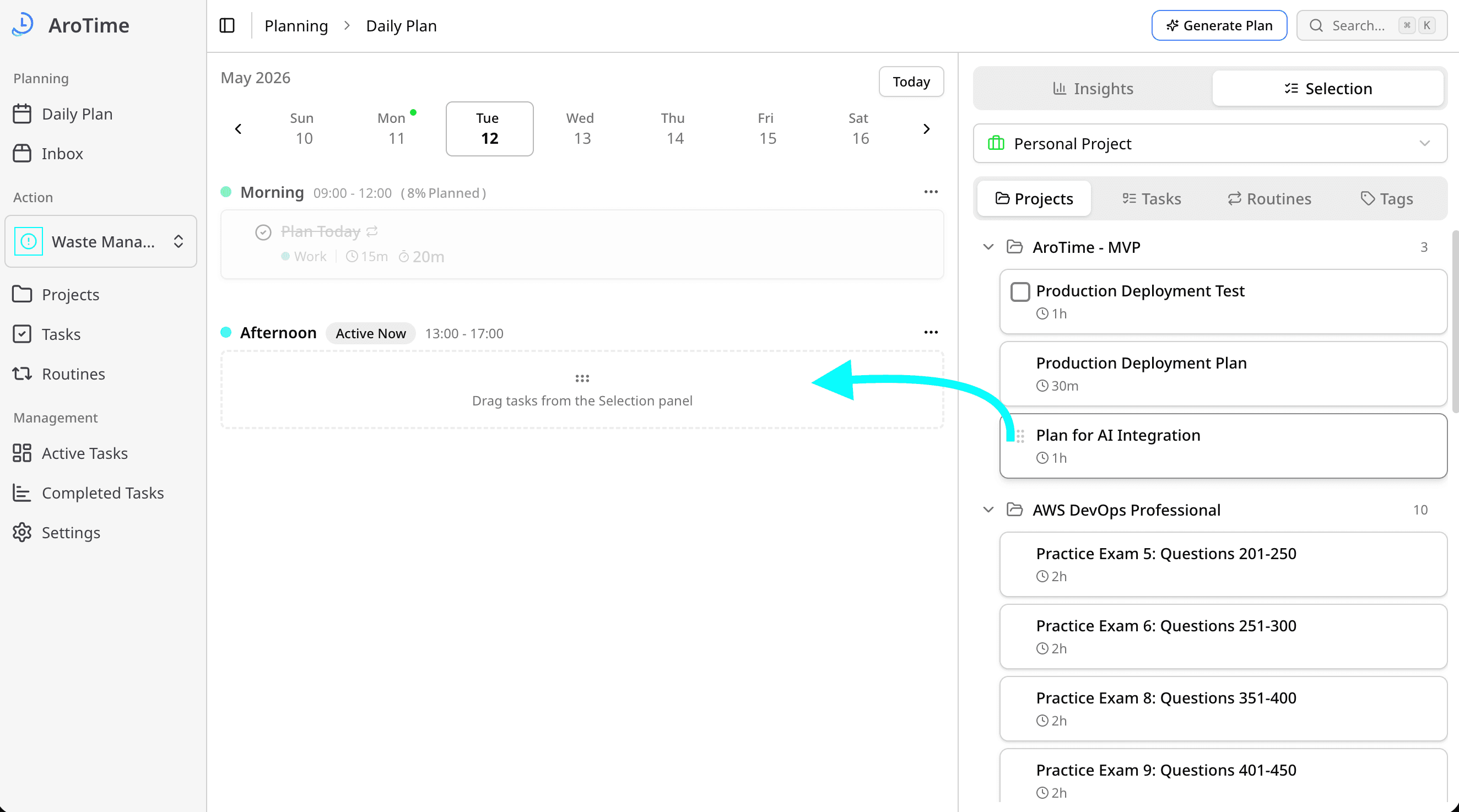
Daily Plan with Focus Time
Break your day into sections - your focus-time blocks. Drag actions into the section where you'll work on them, see what's active now, and keep your attention on one block at a time.
- Customizable sections as focus-time blocks
- Drag-and-drop scheduling from your action list
- Daily overview, progress, and active-now indicator
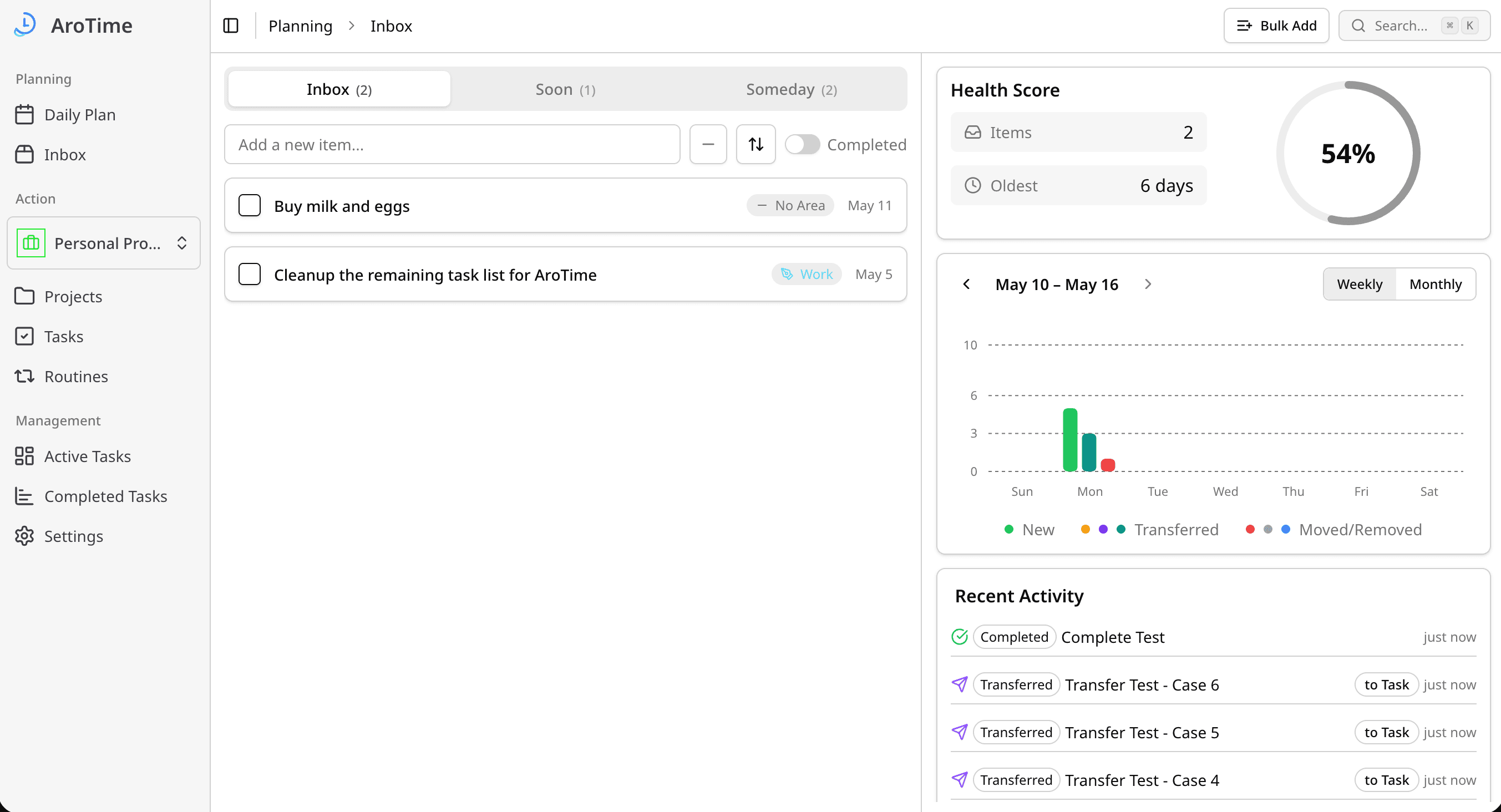
Inbox: Capture Your Ideas
Capture every idea the moment it strikes. The Inbox is your quick-entry space - jot it down now, decide what it becomes later. Convert items into tasks, projects, or routines when you're ready to act.
- Quick capture with a single keystroke
- Park ideas in Someday or send straight to your inbox
- Transform items into tasks, projects, or routines
Tasks, Projects & Routines
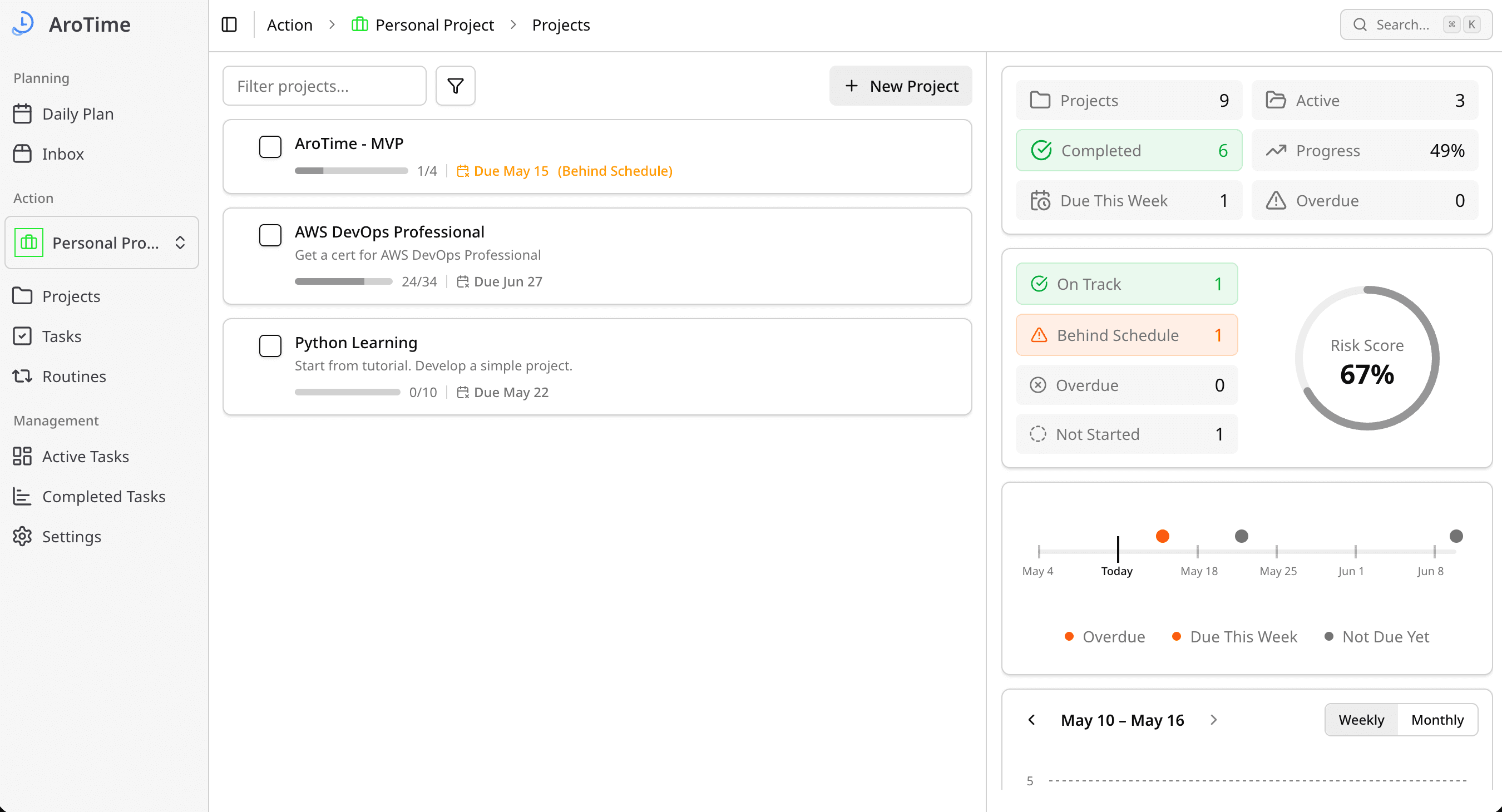
Three ways to turn ideas into action. Tasks handle one-off work; projects bundle multiple tasks toward a period goal; routines repeat on a schedule. Organize everything into areas like Work, Personal, or Health and tag for quick filtering.
- Tasks for simple, one-off work with estimates and tags
- Projects: group tasks under a goal, track progress and burndown
- Routines: repeat on a schedule, track streaks
- Custom areas with icons and colors, drag-and-drop reordering
Weekly Review
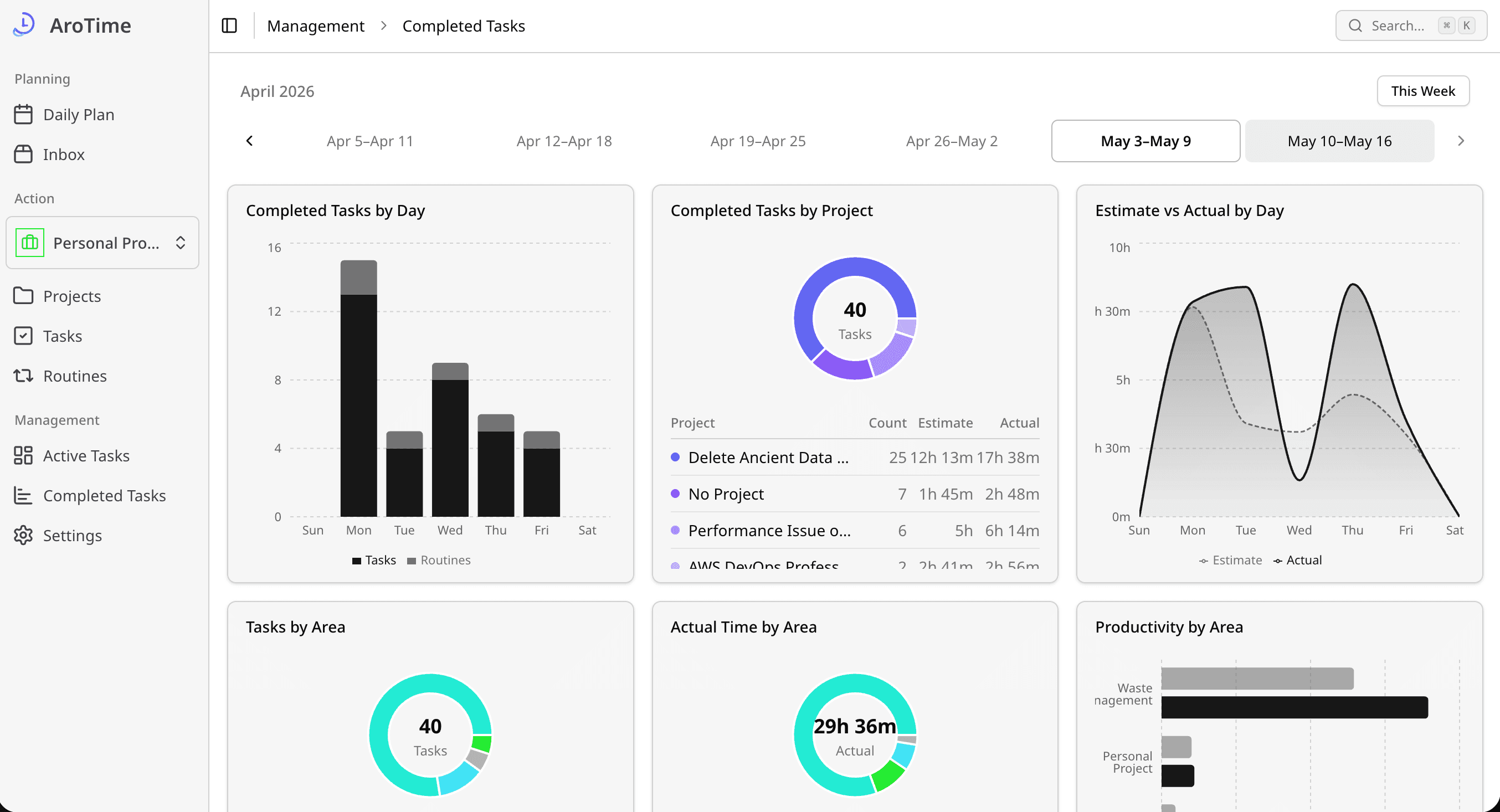
End the week with a clear view of what got done. Review completed tasks and time spent, jot down a memo, and get an AI-generated summary of the week.
- Completed tasks and time by area and section
- Your own weekly memo, saved alongside the report
- AI-generated weekly summary and insights
AI That Works With You
Let AI shoulder the planning grind. Five focused capabilities, all backed by your monthly Pro AI credits.
Smart schedule generation
Pick a focus area and AI proposes which tasks land in which section, balancing estimates against the time each block has left.
Inbox → action item
AI turns a one-line capture into a Task, Project, or Routine — pre-filled with an estimate and the right area.
Project task generation
Give a project a title and a short description; AI drafts the task list so you can start refining instead of staring at a blank page.
- Draft launch announcement copy
- Update pricing page with new tiers
- Schedule social posts for launch week
Bulk task import
Paste anything — meeting notes, a CSV, copied text from a file — and AI extracts the action items as ready-to-edit tasks.
AI weekly report
Wraps up your week with completed work, time spent by area, and an AI-written summary you can drop into a status update.
Powered by your monthly Pro AI credits — see Pricing below.
Simple, Transparent Pricing
Start free and upgrade when you need AI-powered productivity.
- 2 Areas
- 2 Sections
- 2 Active projects per area
- 10 Active tasks per project
- 10 Active tasks per area (no project)
- 2 Routines per area
- Limited AI credits per week
- Unlimited areas, sections, projects, tasks & routines
- More AI credits per week
- AI Weekly reports
Ready to Take Control of Your Time?
Join AroTime today and start managing your tasks more effectively.
Start for Free